FlightSense / Case study
Built around the
work of flight training.
FlightSense helps instructors and schools organize lessons, feedback, training time, and student progress. I lead product direction and contribute across the iOS app, web portal, and supporting services, working with collaborators.
- My role
- Founder · Product & engineering
- Timeline
- 2024–present
- Platforms
- iOS, web & cloud
Start with the lesson
Flight training involves more than the time in the aircraft. Instructors need to record lessons, grades, outcomes, training time, and feedback. Students and school staff need a clear way to review that work. As a pilot and instructor, I approach those workflows with firsthand experience.
FlightSense began with an AI-assisted debrief workflow. As the product developed, the work shifted toward a more practical training record: start with the lessons taught, capture the structured details, and add feedback where it is useful.
Public product imagery
The iOS app supports students and instructors; the web portal supports school review and administration. These public App Store images show the October 2026 release and may differ from current screens.
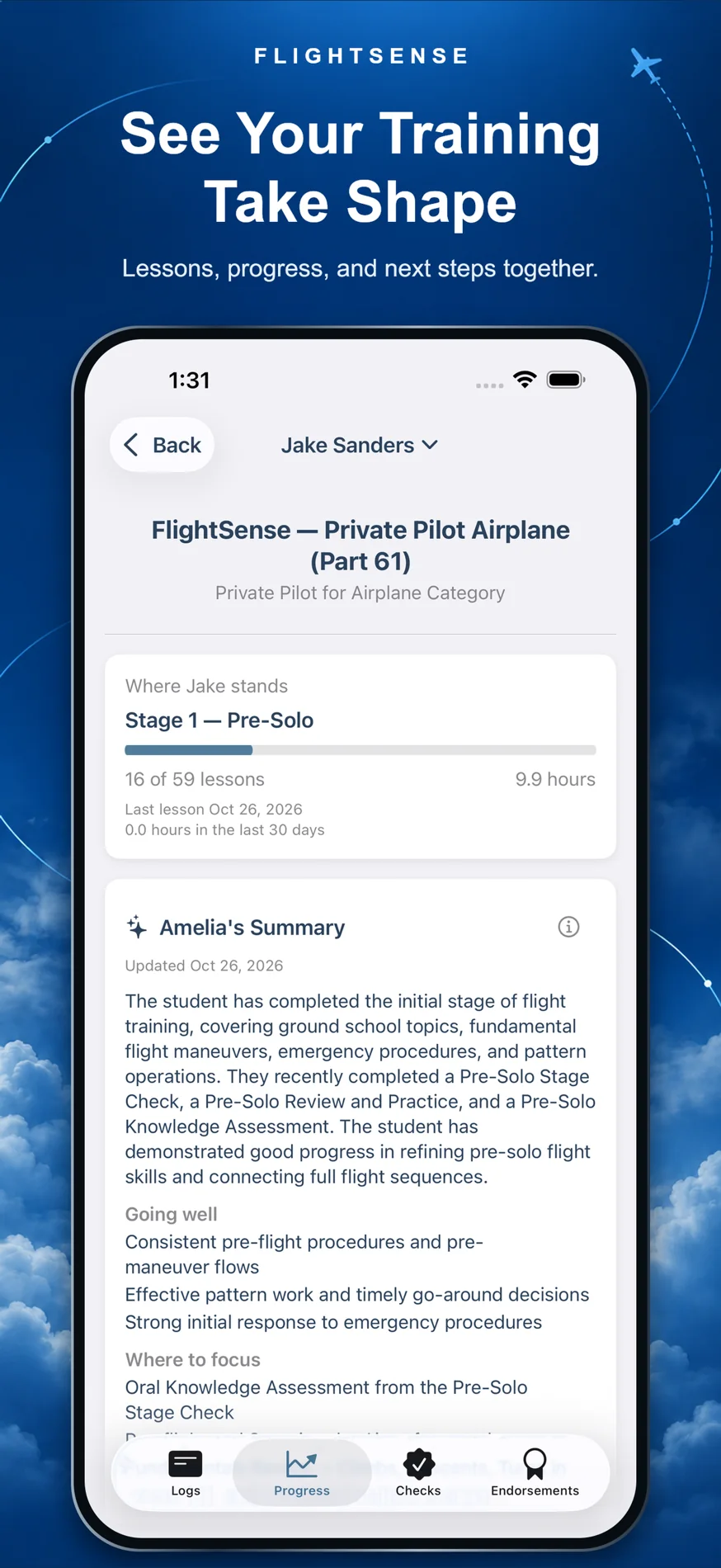
Training progress
A shared view of completed lessons, recent activity, and what needs attention.
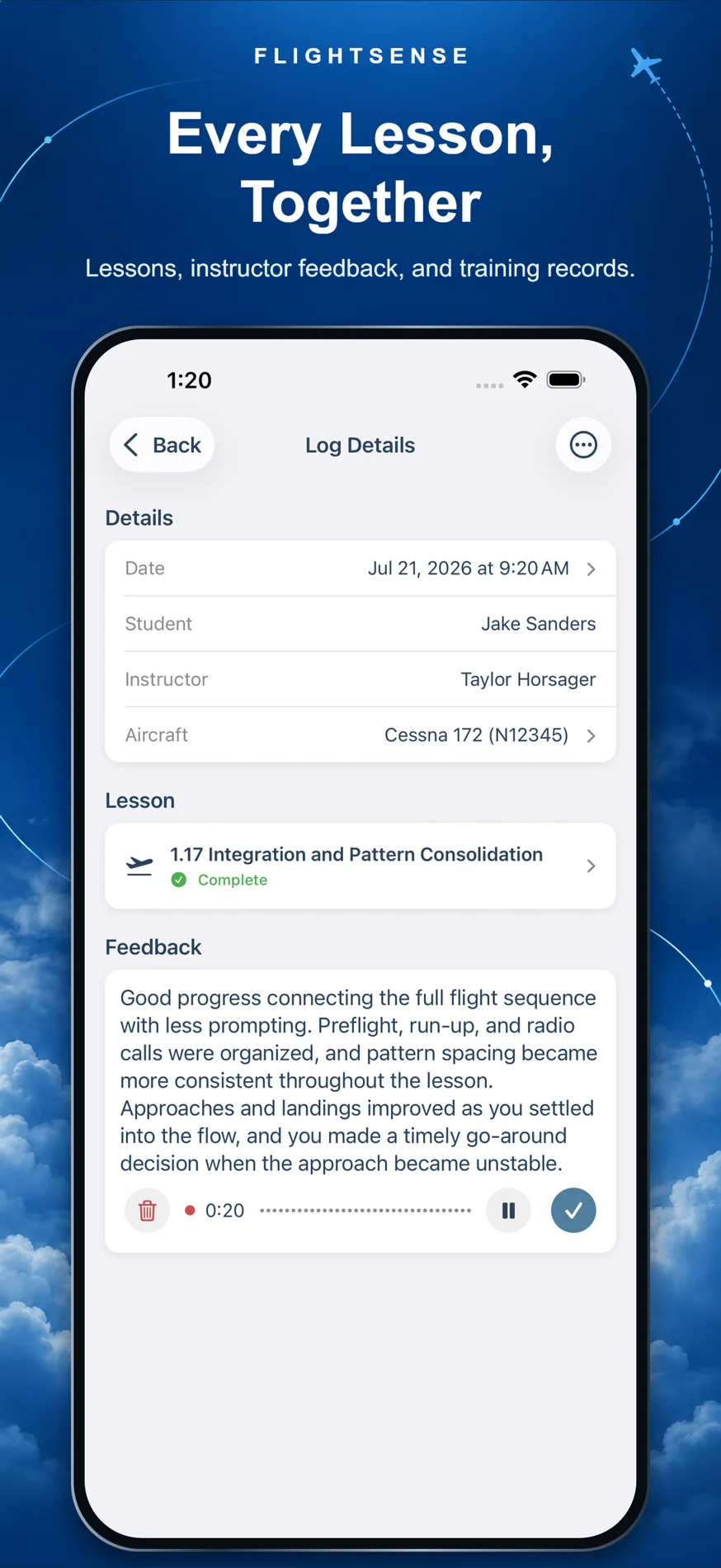
Lesson feedback
A structured record of instructor feedback after a lesson.
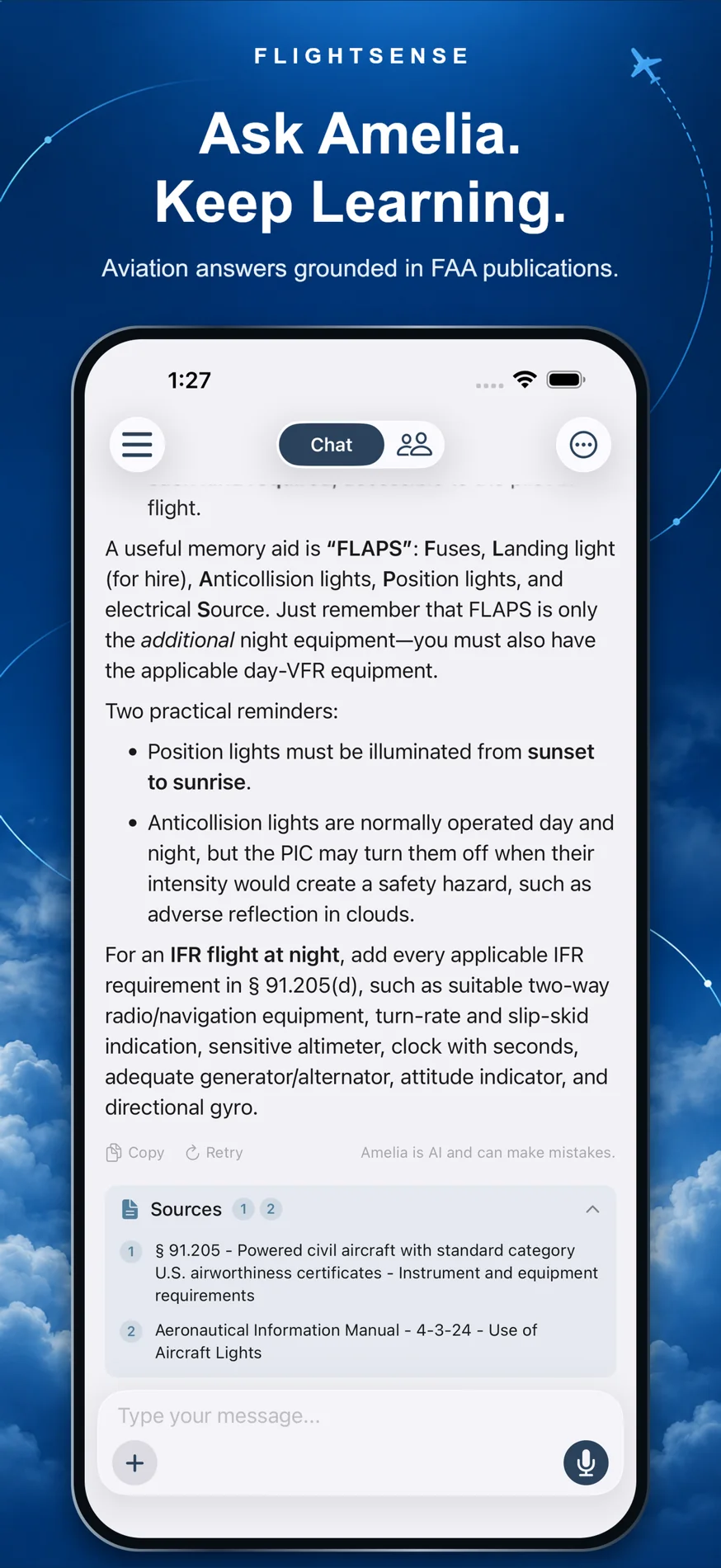
Amelia AI
An aviation-focused conversation experience grounded in FAA reference material.
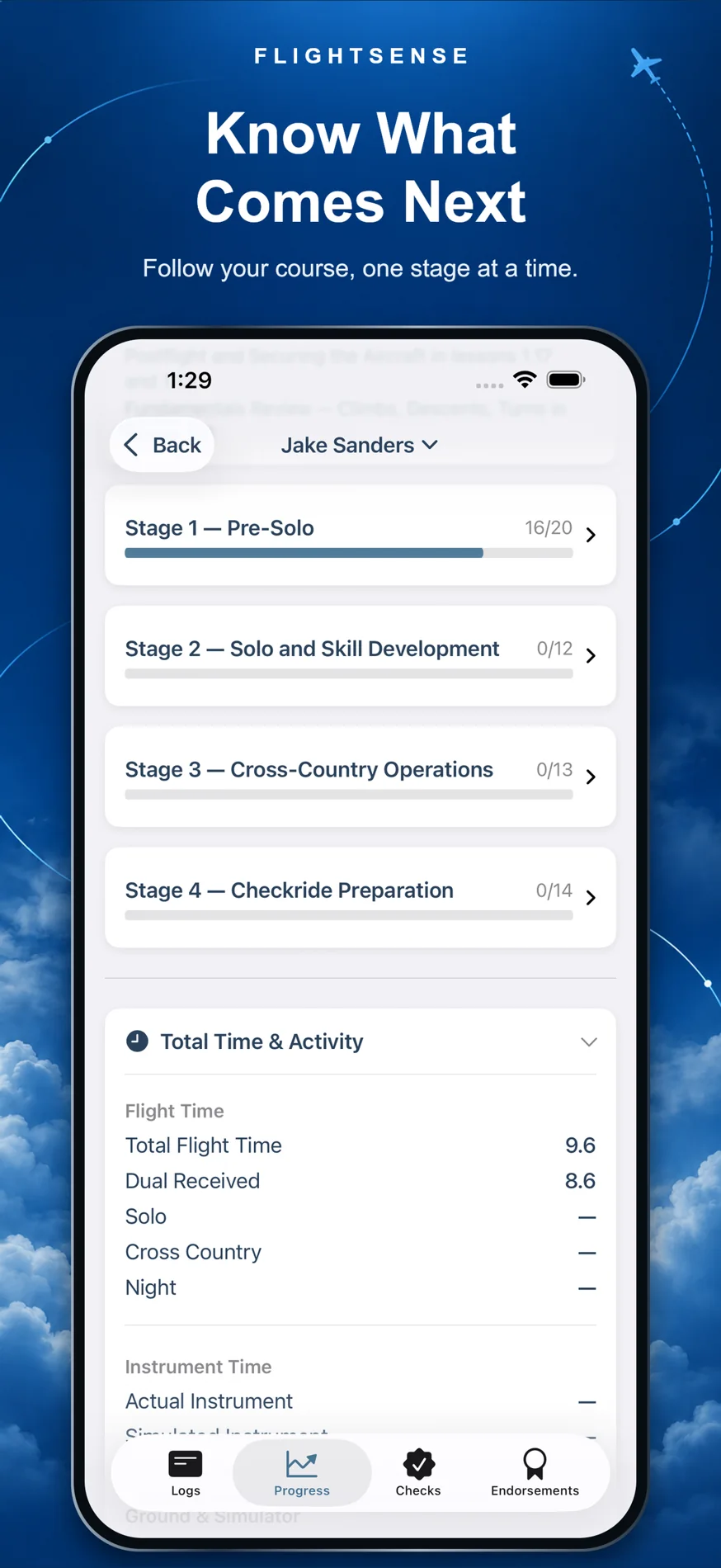
Course progress
Syllabus structure and lesson progress in one place.
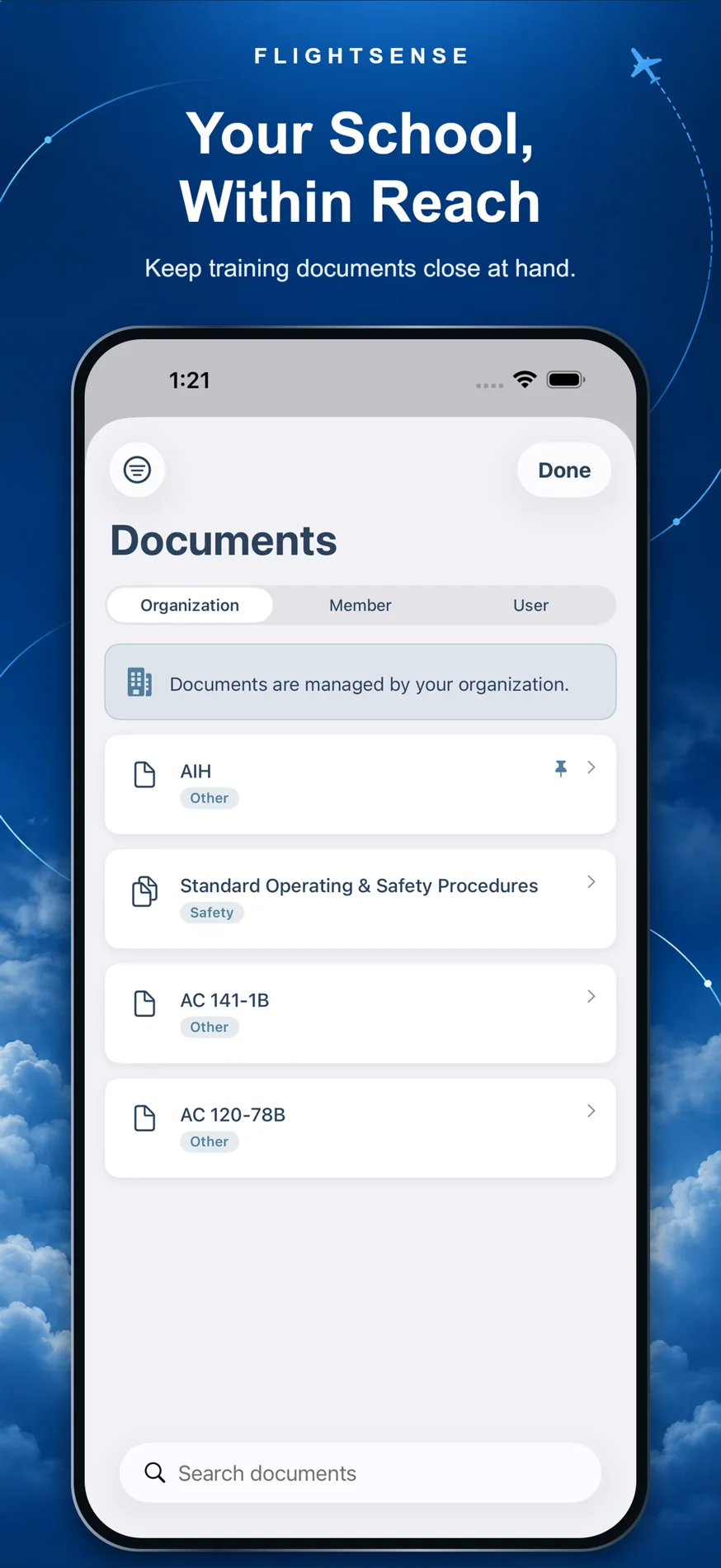
School documents
An organized home for school-level documents and records.
The school’s view
The web portal brings curriculum and student records into a shared review workflow. These two views show how the training structure connects to an individual student’s progress.
Screens supplied November 2026. Original screenshots; names removed with a crop or solid redaction.
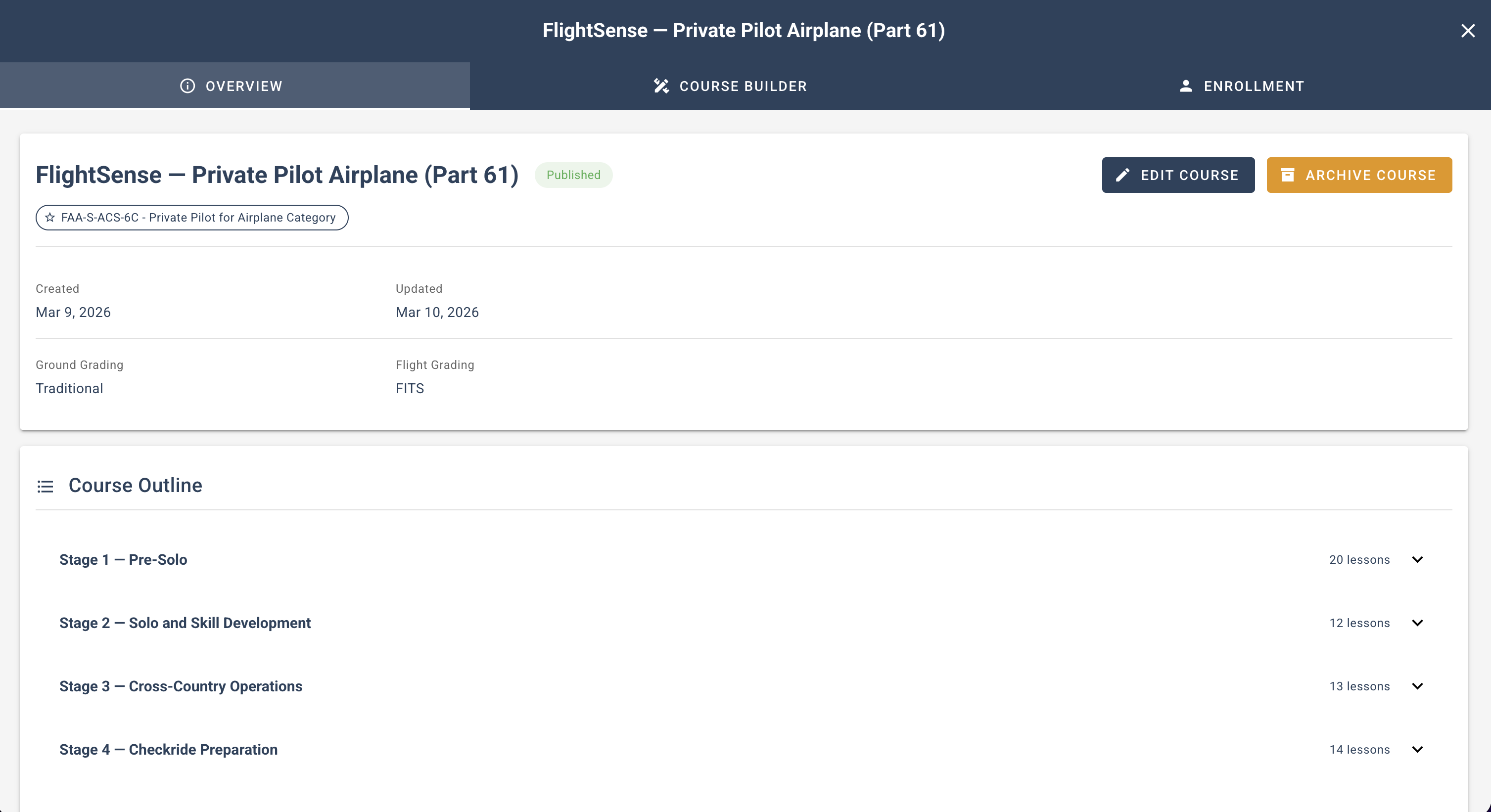
A structure to train against.
A staged course outline gives lessons a place in the larger training journey. The same structure provides context when reviewing a student’s progress.
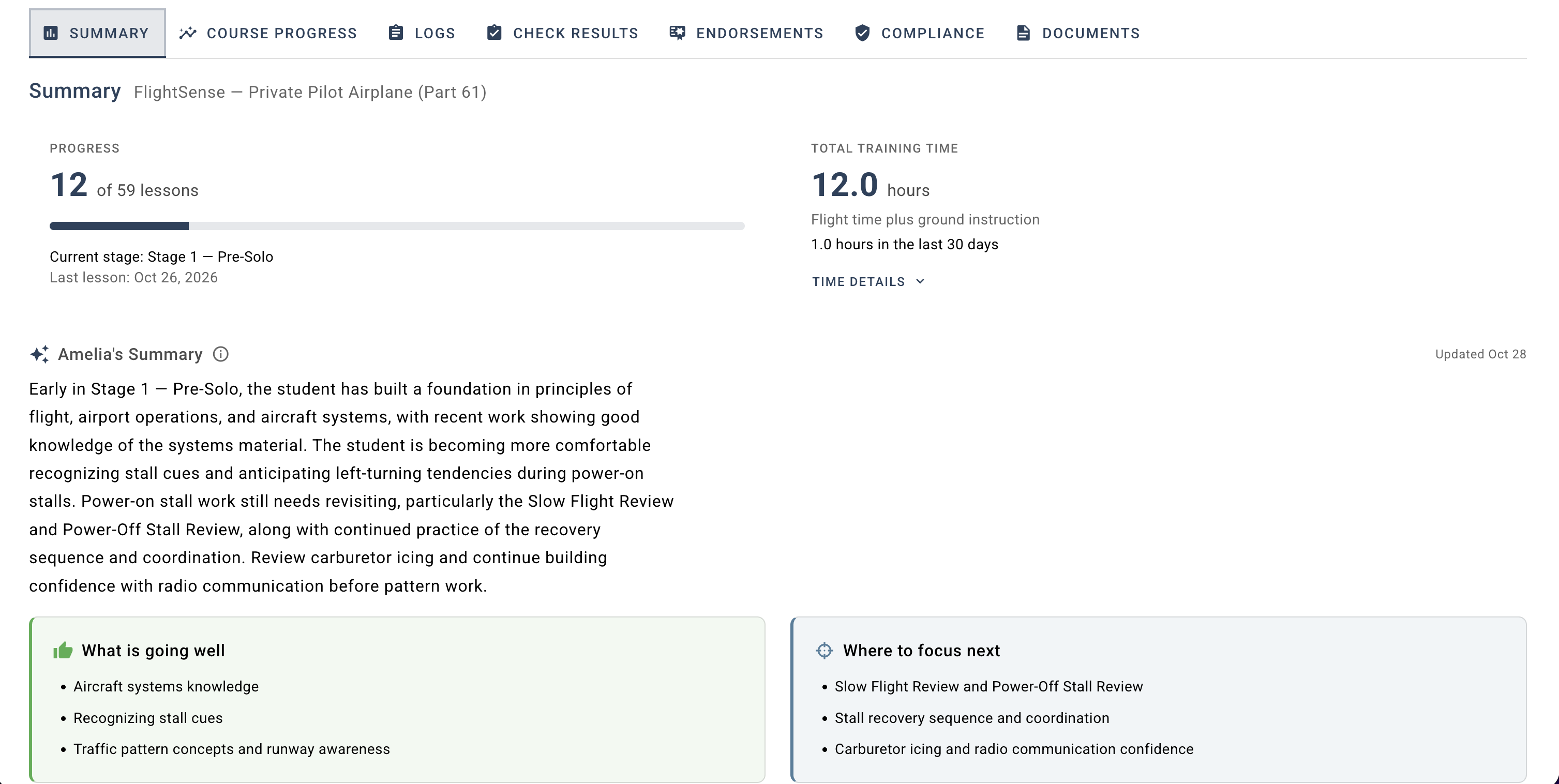
Recorded facts. Helpful context.
Lesson completion and training time sit above Amelia’s summary, keeping recorded progress distinct from generated interpretation. Strengths and areas to revisit help focus the next conversation.
Carry decisions into the build
I contribute implementation across the native Swift iOS app, the Vue/TypeScript web portal, and supporting cloud services. The work connects interface behavior, training workflows, and delivery across platforms.
Lesson-first entry
Instructors can start a training record with the lessons taught, record grades and time, and add optional feedback. This keeps the entry point close to the work happening in a session.
Feedback in context
A consolidated, editable feedback field keeps the instructor’s account together. Voice transcription supports that same workflow rather than introducing another kind of record for users to manage.
Consistent concepts across platforms
Mobile entry and web review serve different needs. Shared terminology and clear record layouts help those experiences describe the same training activity.
I use AI-assisted development as part of implementation, review, and testing. I remain responsible for the decisions I lead, the work I integrate, and verifying the result.
A supporting role for AI
AI is useful when it supports the training record. Amelia provides contextual assistance and summaries alongside structured progress information.
A key product choice is to keep calculated progress separate from generated interpretation. The interface should make clear which information comes from recorded training and which is assistance in understanding it.
The broader lesson is to let the workflow determine where AI belongs. Organizing lessons, feedback, and progress comes first.
What this work demonstrates
FlightSense is a live product available on iOS and the web. The work shows a product evolving from an initial AI-centered idea toward practical training records, with decisions carried through interaction design and implementation.
The focus remains a usable training record: clear lessons, understandable feedback, and progress that schools and instructors can review.